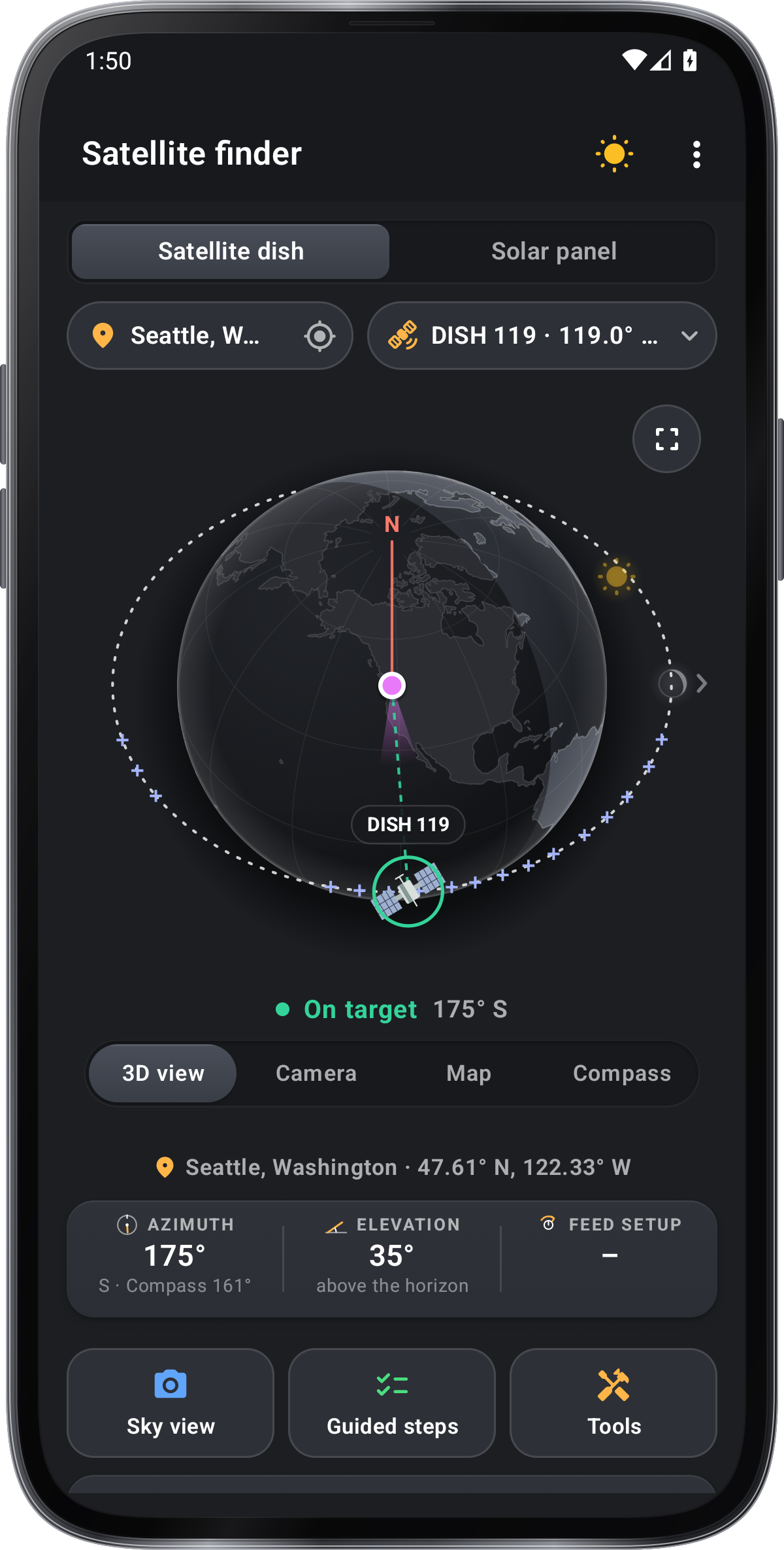
Satellite dish angles
Where to point a satellite dish from your place: the direction, how far to tilt it up, and the LNB skew.
Side view: the dish tilts up by the elevation
Turn the dish
–
Tilt
–
Aiming uses your phone’s compass and tilt. Scan the code with your phone’s camera to open this page there.
Azimuth, true
–
Elevation
–
On a compass
–
LNB skew
–
How to use it
- Pick your place
Choose a city, type the dish’s coordinates, or use your location.
- Pick the satellite
By provider or by its position in the sky.
- Set the dish
Point it to the azimuth, tilt it to the elevation, then turn the LNB by the skew.
Tips
- Compass, not map
Use the On a compass number with a hand compass; the true one with a map.
- Check the view
Trees and walls in that direction block the signal. Look along the line before you mount.
- Peak it
The numbers get you close. Small turns while watching the receiver’s signal finish the job.
In the app
Satellite Finder
- Camera view and a closer tone while you aim
- Sky scan for trees and walls in the way
- Tuning values for each satellite
- Solar panels too