 Video coming soon
Choose Bar or Surface
Basics · Written steps
Read the steps : Choose Bar or SurfaceSteps, videos and tips for the tool.
A bubble level: stand the phone on any edge to level a shelf or a frame, or lay it flat to level a surface.
Video coming soon
Getting started
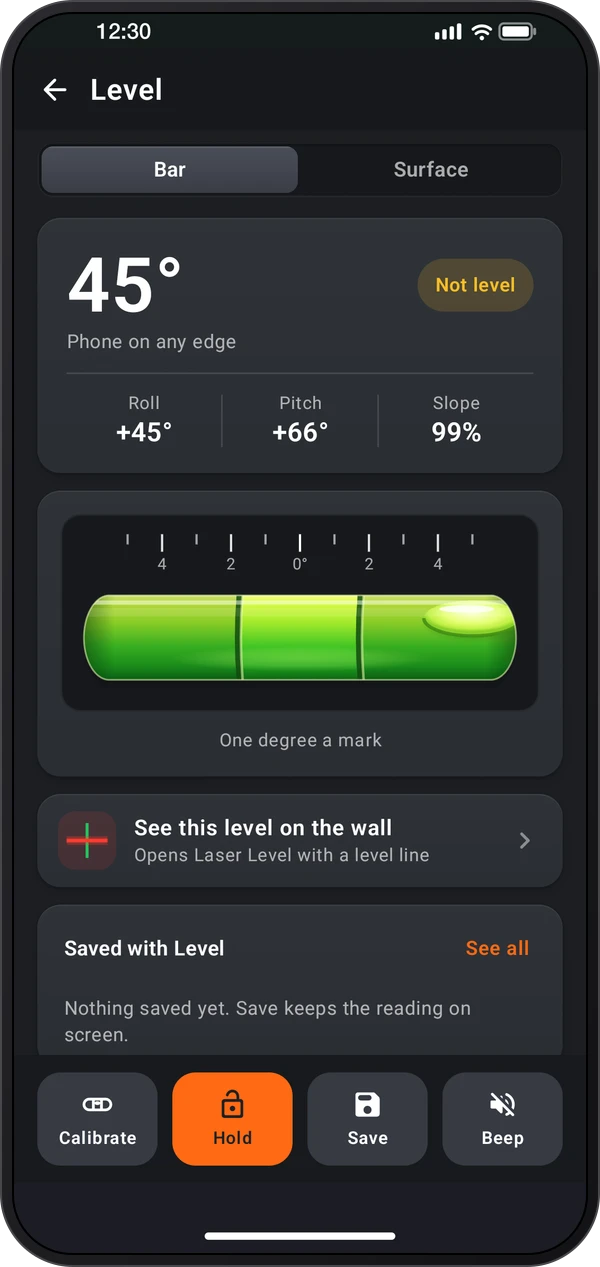
Tap the live Level card on the home. Bar reads the phone standing on any of its edges, against a scale of one degree a mark. Surface reads it lying flat, with a round vial.
This is a still image. The how-to video has not been recorded yet.
Read the stepsVideo coming soonBasics · Written steps
Read the steps : Choose Bar or SurfaceVideo coming soonBasics · Written steps
Read the steps : Read, hold and save the levelVideo coming soonBasics · Written steps
Read the steps : Calibrate on a level surfaceTap the live Level card on the home. Bar reads the phone standing on any of its edges, against a scale of one degree a mark. Surface reads it lying flat, with a round vial.
The card under the tabs says Level or Not level, with Roll, Pitch and Slope on Bar, and Left · right, Front · back and Tilt on Surface. Hold keeps the reading, Save puts it in Records, and Beep sounds each time the phone becomes level.
To calibrate, put the phone on something you know is level, the way you measure, and tap Calibrate. Bar and Surface keep their own calibration; Reset calibration removes it.
Try these steps in the app. All tour instructions stay readable here.
Tap the live Level card on the home. Bar reads the phone standing on any of its edges, against a scale of one degree a mark. Surface reads it lying flat, with a round vial.
The card under the tabs says Level or Not level, with Roll, Pitch and Slope on Bar, and Left · right, Front · back and Tilt on Surface. Hold keeps the reading, Save puts it in Records, and Beep sounds each time the phone becomes level.
To calibrate, put the phone on something you know is level, the way you measure, and tap Calibrate. Bar and Surface keep their own calibration; Reset calibration removes it.
Find Level in these apps.
See this level on the wall opens the Laser Level with a level line. ⋮ › Screen layout on the home picks how the home looks: Laser first, On the wall or Laser modes.