Plan a dish installation
Choose the place and satellite, inspect direction and elevation, then peak the real signal with the receiver.
Satellite Finder
Satellite Finder for iPhone
Coming soon to the App Store
Free to download.
Plan a satellite-dish aim or solar-panel direction with angles, a moving 3D sky, camera guidance, a map and a compass view. Check the compass and inspect obstacles before you settle on an installation spot. The app reopens the aligner page used last, with Dish first on a new installation. Readout, shadow checks and voice commands support a first setup; advanced tools such as guided steps and Sky scan carry their in-app tier labels. Available on Google Play for Android. Hardware, permissions and the feature labels in the installed app determine which functions you can use.
Explore the screens, then follow the guide to try them yourself.
Practical ways to use Satellite Finder.
Choose the place and satellite, inspect direction and elevation, then peak the real signal with the receiver.
Where available, scan obstacles and compare how the target satellites clear nearby objects.
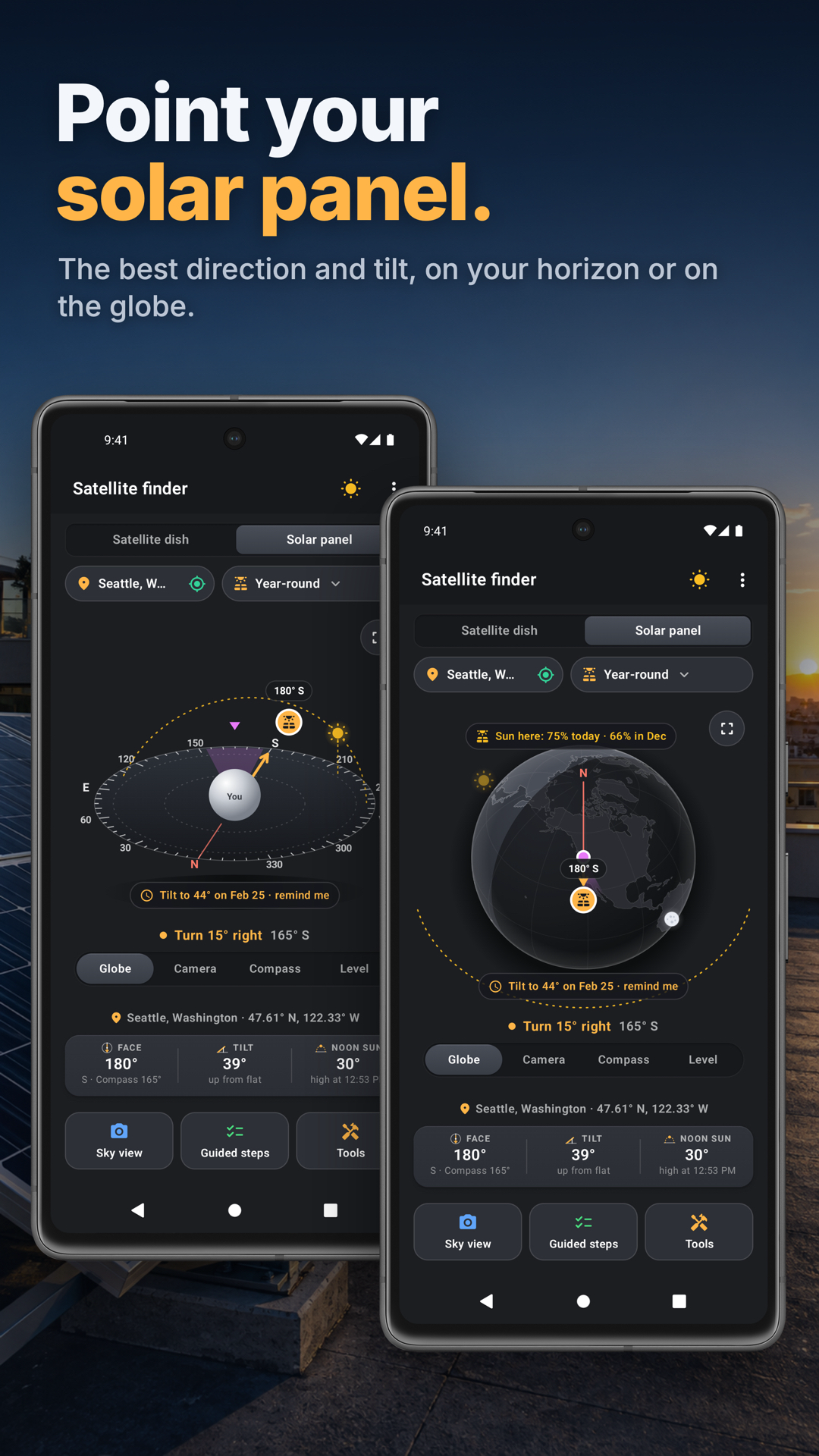
Choose a season, face the panel toward its target and check tilt with the phone lying on it.
Start with a useful task, then keep the result.
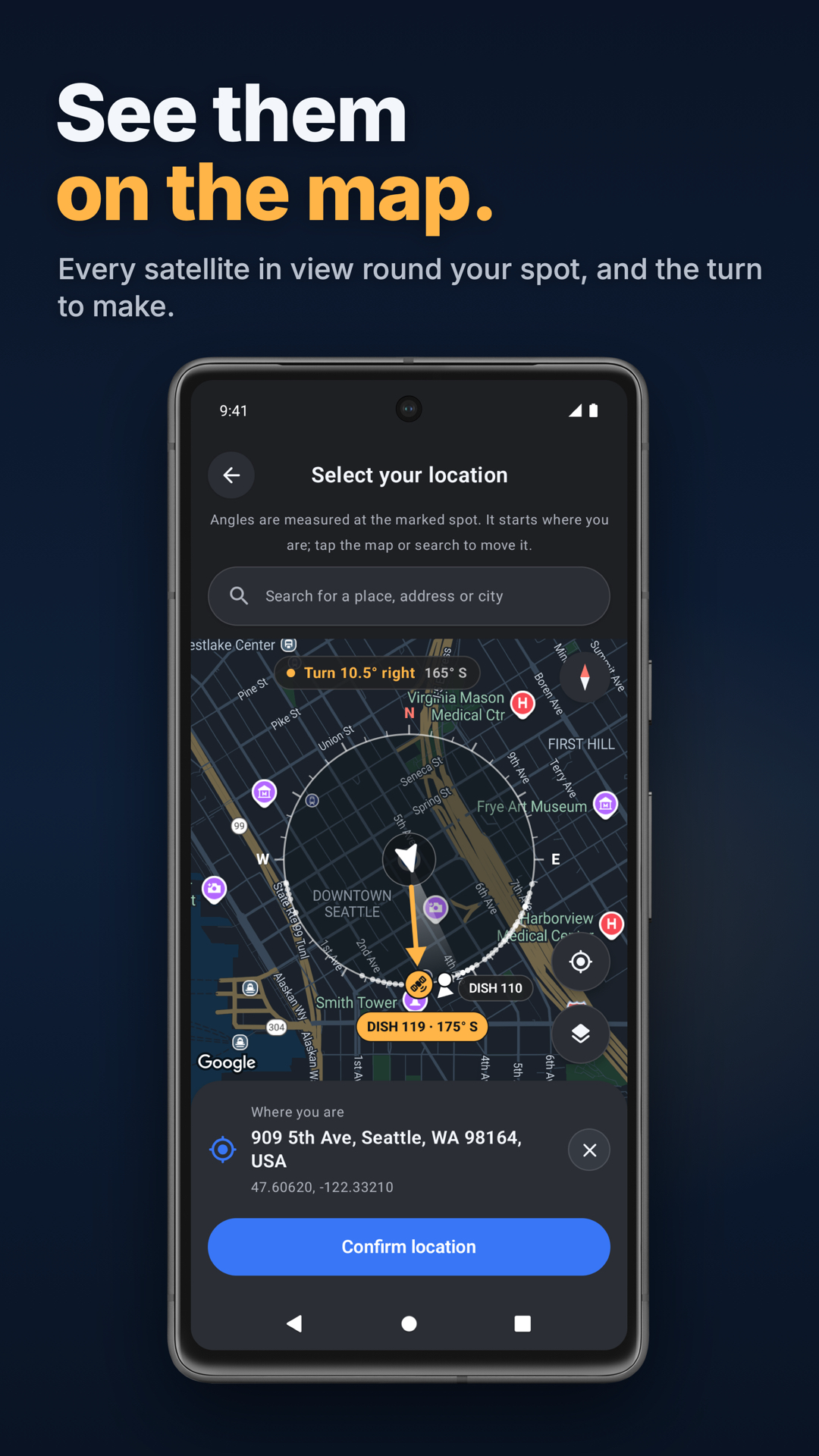
Use GPS or choose the installation location, then pick a satellite or the panel workflow.
Work away from magnetic interference and use a suitable compass check; a shadow keeps the camera away from the Sun.
Follow the direction and tilt guidance, tighten gently and check again. For a dish, finish on receiver signal quality.
Open ⋮ › Tour & lessons for the Tour, Showroom and Lessons on a drawn practice sky. This website walkthrough introduces the same workflow; advanced tools follow their in-app tier labels.
Practice 1
GPS finds it, or pick any spot on the map to plan an install before you climb.
Practice 2
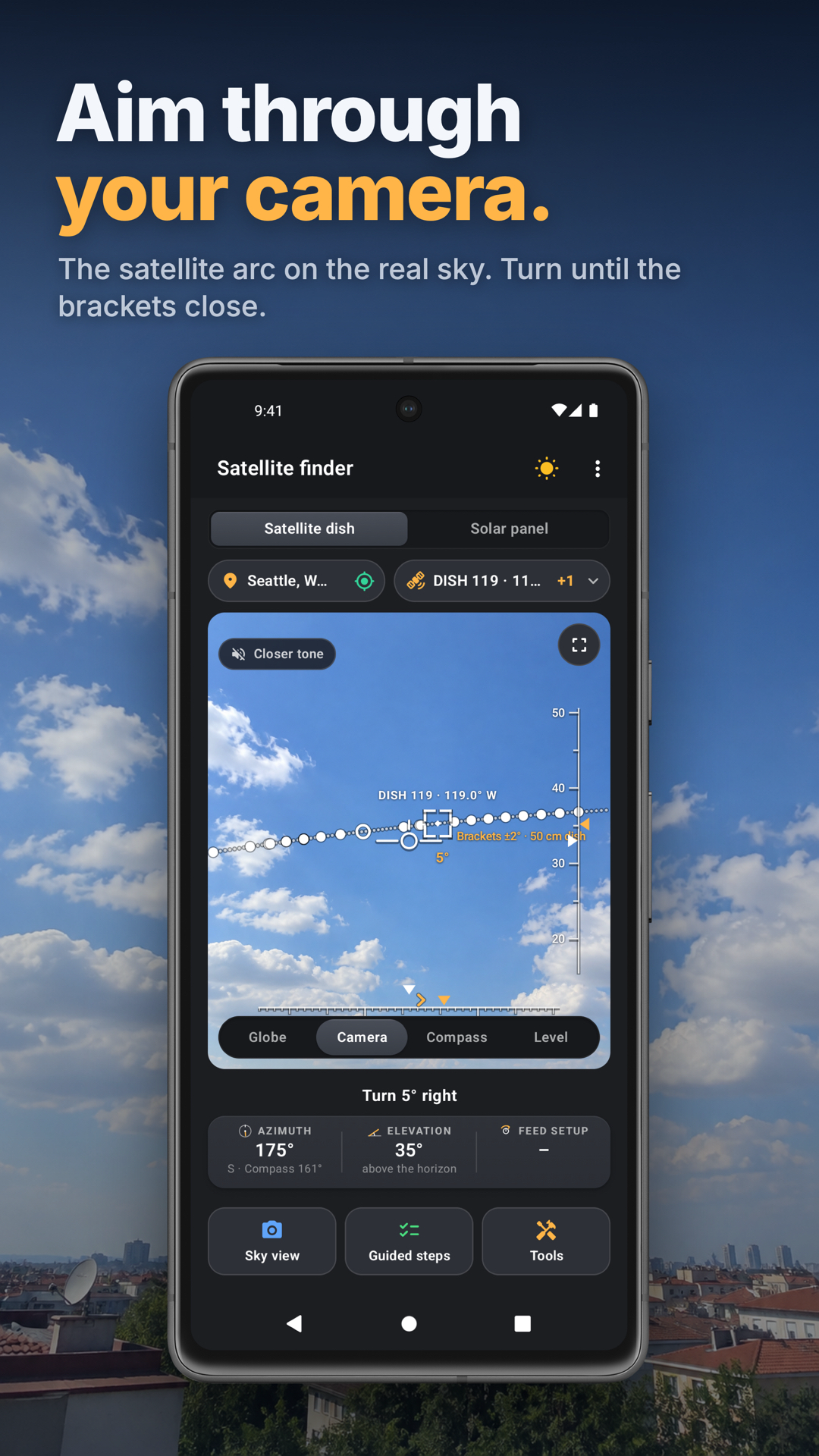
Follow the amber chevrons to aim. For a linear feed, check and adjust LNB skew, then peak signal quality.
Practice 3
Lay the phone on the panel, screen up, and raise it until the tilt reads the target. Face it first with the camera and the flag.
Useful habits for your next task.
Confirm the installation location and select the satellite your receiver or service uses.
Set the correct dish size so the aiming brackets reflect its beam.
Check the compass away from steel, wiring and magnetic cases; repeat the check if you move to a different spot.
Use the camera or 3D view to aim, then check and adjust the LNB skew for a linear feed.
Finish by peaking signal quality on the receiver; tightening the bolts can shift the aim, so check again.
For panel tilt, lay the phone screen-up with its top edge toward the panel’s top; gravity supplies tilt independently of compass heading.
Satellite Finder. Aim a satellite dish or a solar panel at the right patch of sky.
Explore the tool ›Sun & Sky. Inspect sun and moon positions on the turning globe and plan solar-panel alignment.
Explore the tool ›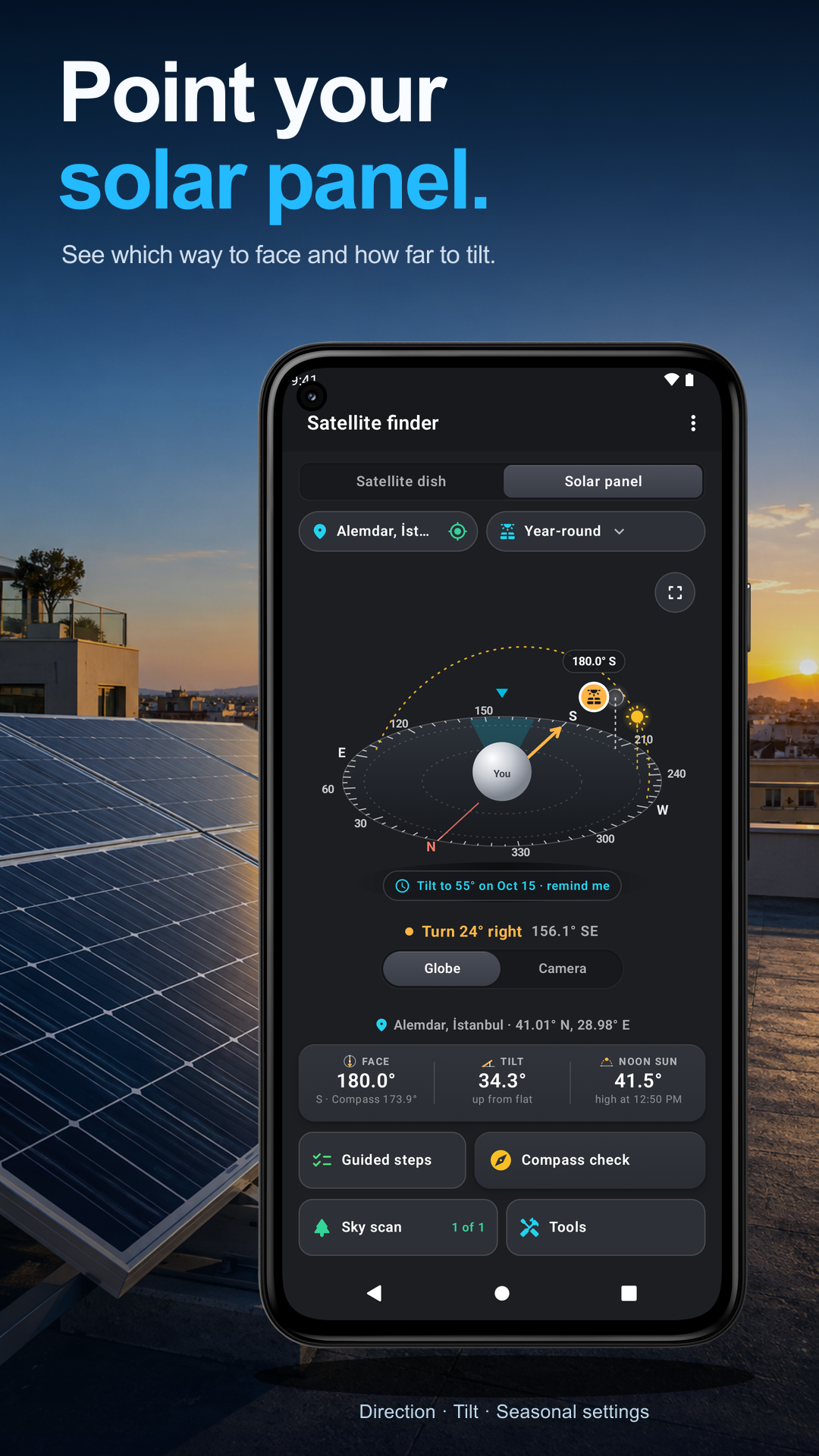
Camera alignment. Satellite Finder camera view with the satellite arc and aiming brackets
Read the guide ›Map. Satellite Finder map and satellite direction
Read the guide ›Solar panel. Satellite Finder solar-panel alignment and sun data
Read the guide ›Step-by-step instructions for the app and its tools.
Video coming soonBasics · Written steps
Read the steps : Set the place and pageVideo coming soonBasics · Written steps
Read the steps : Set your location and inspect the skyVideo coming soonTools · Written steps
Read the steps : Sun & SkyGet the app
Free to download. Coming soon to iPhone.