Compare work areas
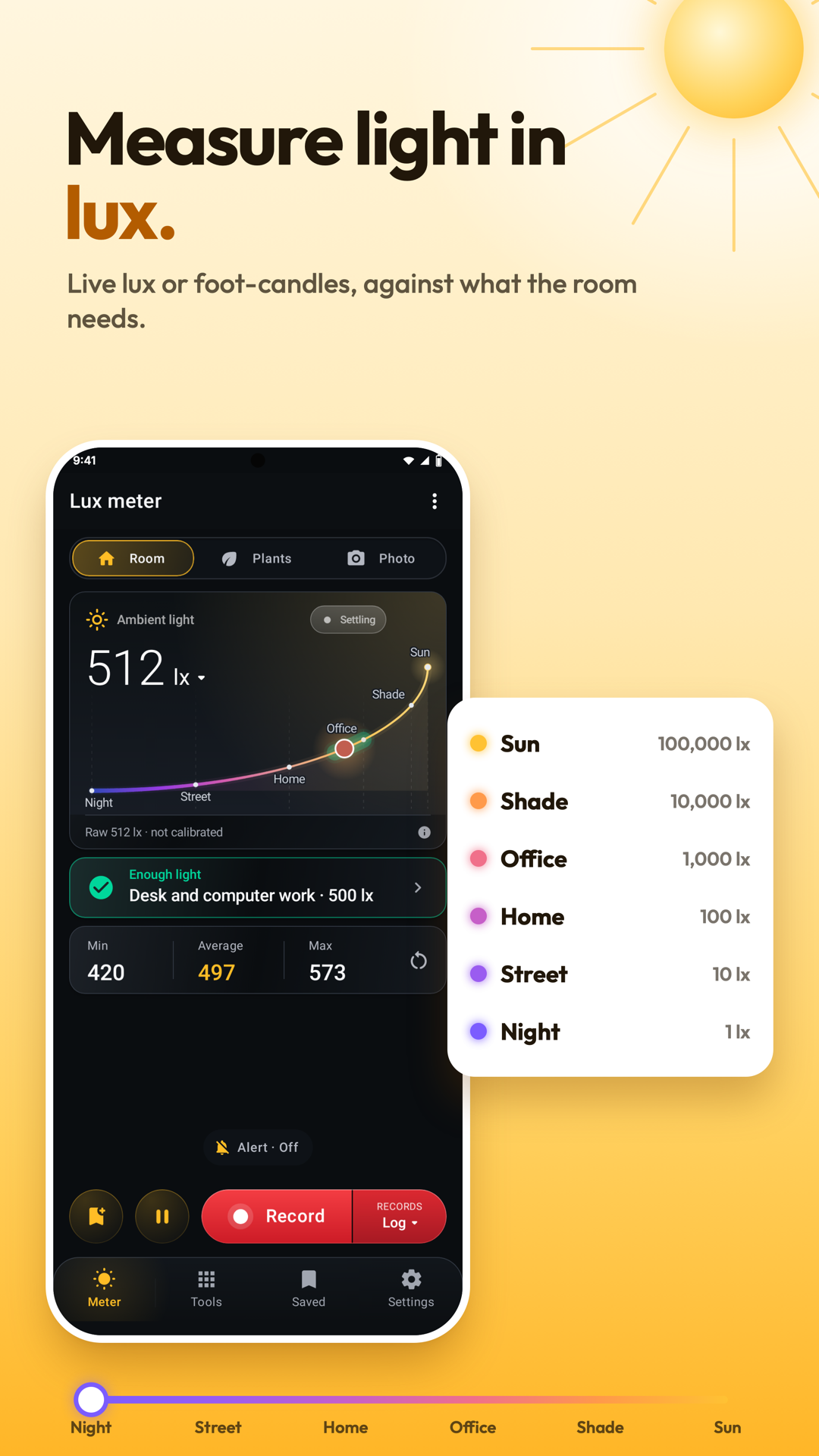
Read illuminance where the task happens and compare positions without changing the phone’s orientation.
Lux Meter
Lux Meter for iPhone
Coming soon to the App Store
Free to download.
See the light at a desk, a plant or a photo subject using your phone’s light sensor. Compare positions, watch changes over time and save readings with charts, notes and media. Use Meter for live light, Tools for extra measurements, Saved for records and Settings for preferences. Use the website walkthrough below to plan a first measurement, then practise with the app’s own controls. Available on Google Play for Android. Hardware, permissions and the feature labels in the installed app determine which functions you can use.
Explore the screens, then follow the guide to try them yourself.
Practical ways to use Lux Meter.
Read illuminance where the task happens and compare positions without changing the phone’s orientation.
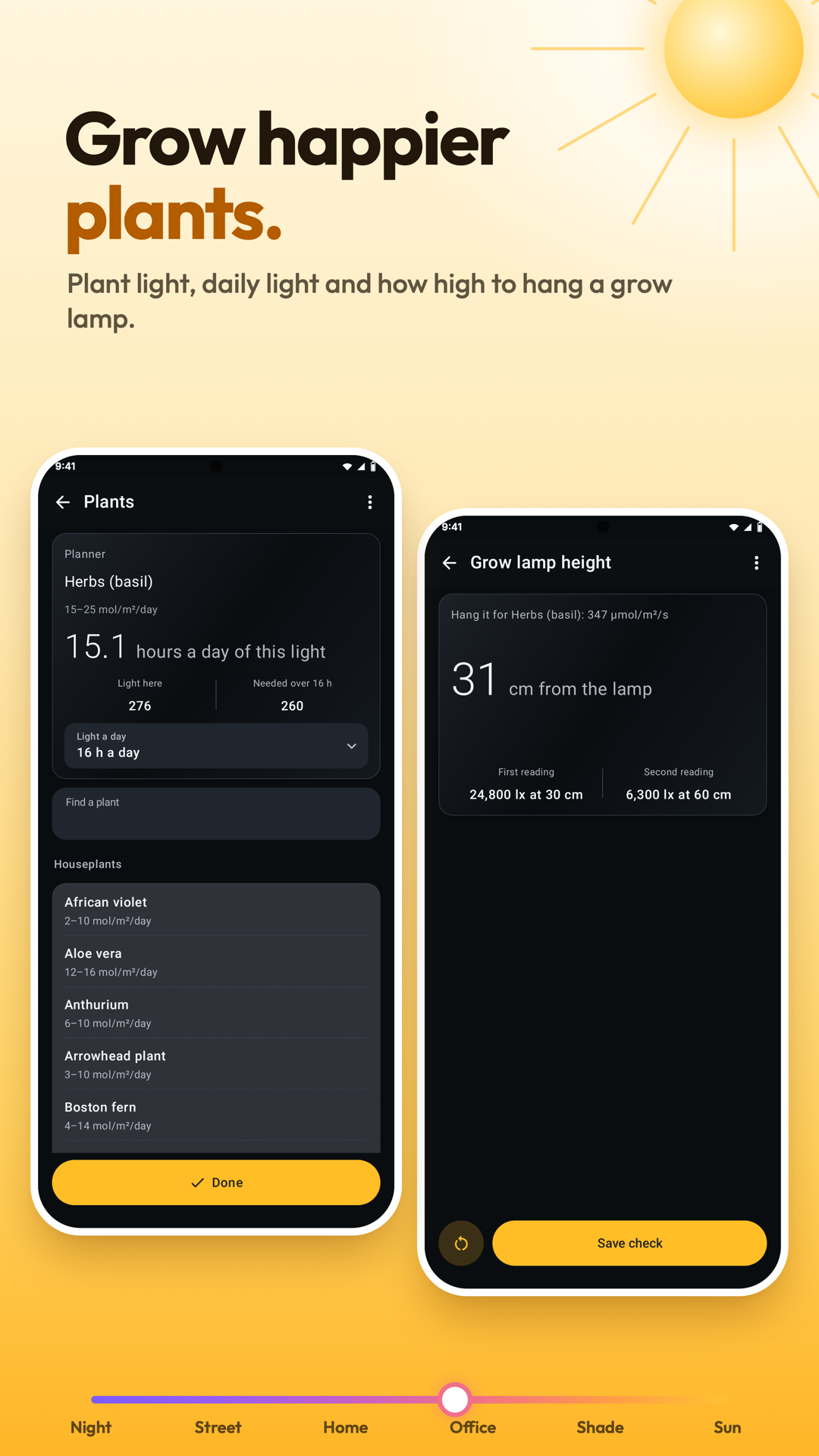
Measure at leaf height and choose the light source and hours for plant-light estimates.
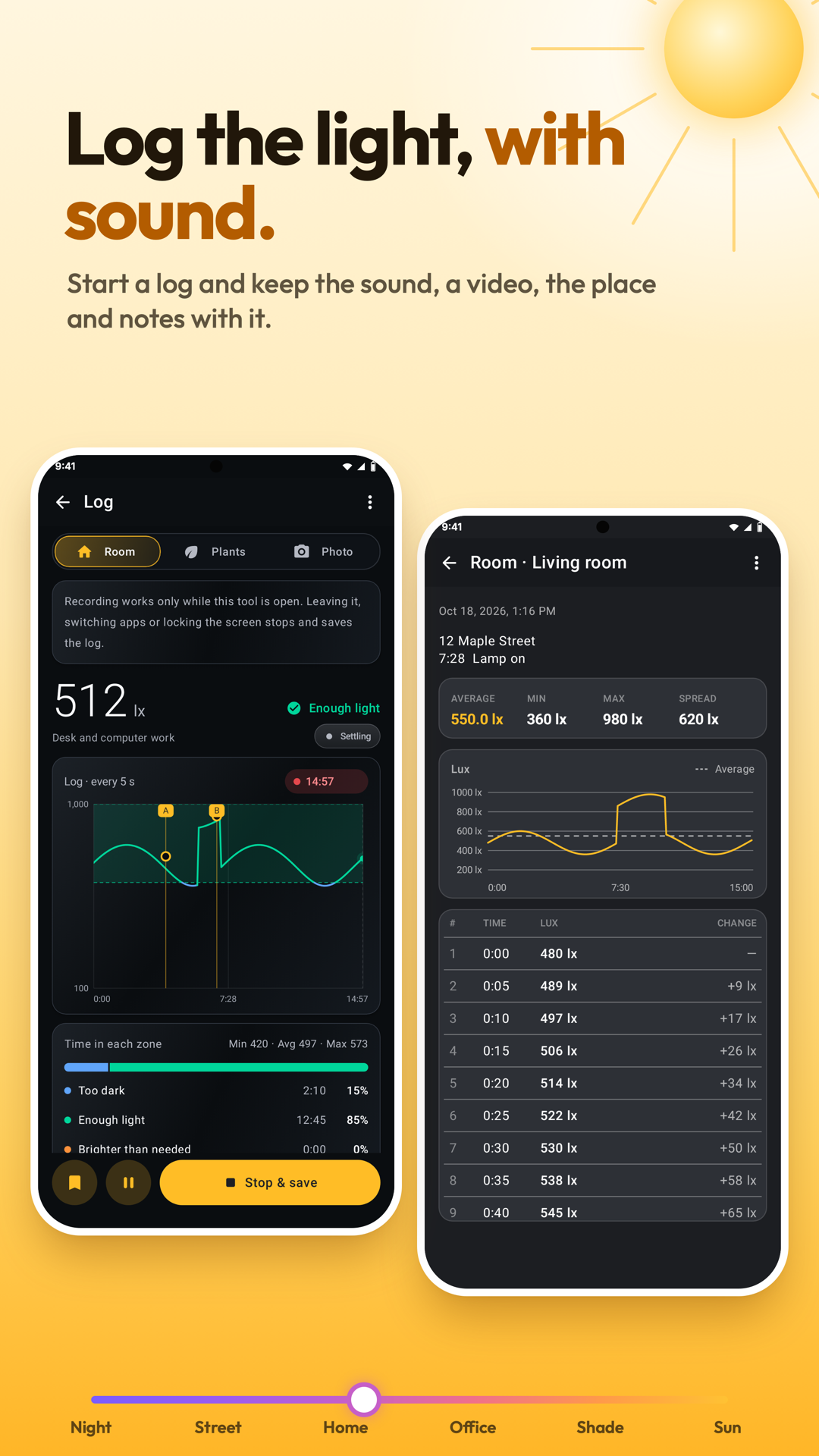
Start a log or light-map walk, add markers and review the result with its saved context.
Start with a useful task, then keep the result.
Use Find the sensor, then keep your fingers, case and shadow away from it.
Pick Room, Plants or Photo and set the relevant place, source, hours or ISO.
Hold a steady reading or start a deliberate log; Stop saves a completed log to Saved.
Settings › Tour & lessons opens the Tour, Showroom and Lessons. Lessons use the live sensor without keeping logs, readings or settings. Start with the website walkthrough, then try a lesson on your phone.
Practice 1
Lay the phone where you work, screen up: the sensor sits on its top edge. Pick the place and it says whether the light is enough.
Practice 2
Hold the phone at leaf height. Pick the light source and its hours: you get the plant light, the light it gathers a day, and a verdict.
Practice 3
Hold the phone at your subject, top edge to the camera. Set the ISO and the aperture; the shutter speed follows.
Useful habits for your next task.
Use Find the sensor first and keep fingers, a case edge and your own shadow clear of it.
For a workspace, measure where the work is done, with the phone in the same orientation each time.
For plants, measure at leaf height and select the actual light source and its hours before comparing daily-light estimates.
For incident-light photo readings, hold the sensor at the subject rather than at the camera.
If you have a trusted lux meter, place both in the same light and calibrate the phone against it.
Mark a log when a lamp switches on or the position changes so the chart explains what happened.
Lux Meter. Light for desks, workshops, plants and photos.
Explore the tool ›Light reading. Lux Meter light-level reading
Read the guide ›Plant light. Lux Meter plant lighting tools
Read the guide ›Light log. Lux Meter light log and plotted readings
Read the guide ›Step-by-step instructions for the app and its tools.
Video coming soonBasics · Written steps
Read the steps : Choose a pageVideo coming soonBasics · Written steps
Read the steps : Face the sensor toward the lightVideo coming soonBasics · Written steps
Read the steps : Choose Room, Plants or PhotoGet the app
Free to download. Coming soon to iPhone.