Compare rooms or places
Measure with consistent microphone and settings, then compare an average sound level.
Decibel Meter
Decibel Meter for iPhone
Coming soon to the App Store
Free to download.
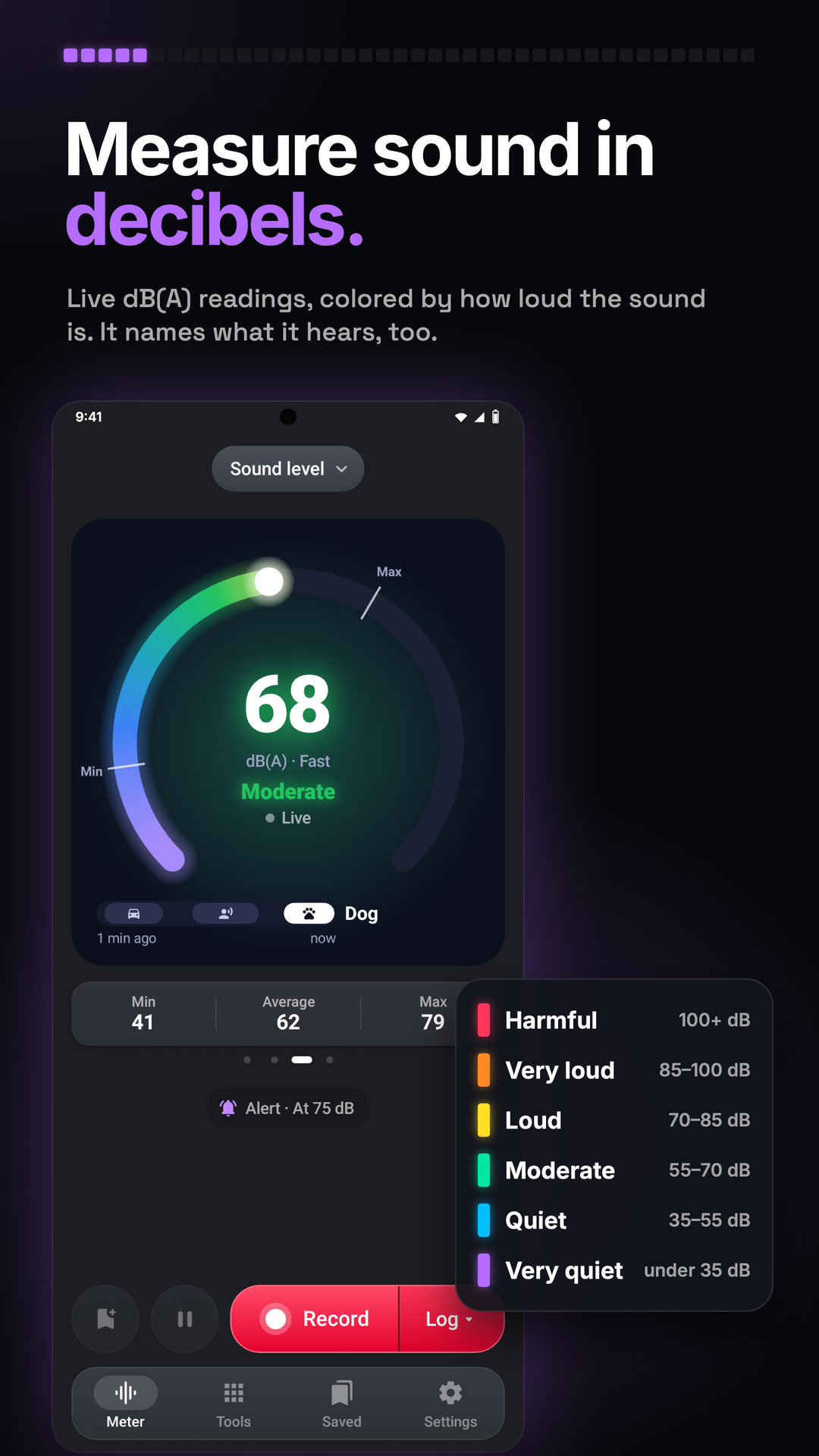
Explore everyday sound with a live level, average and maximum, then keep a log of how it changes. Compare places, mark events, and review sound, charts and reports together. Use Meter for live sound, Tools for extra measurements, Saved for logs and media, and Settings for preferences. Use the website walkthrough below to plan a first measurement, then practise with the app’s own controls. Available on Google Play for Android. Hardware, permissions and the feature labels in the installed app determine which functions you can use.
Explore the screens, then follow the guide to try them yourself.
Practical ways to use Decibel Meter.
Measure with consistent microphone and settings, then compare an average sound level.
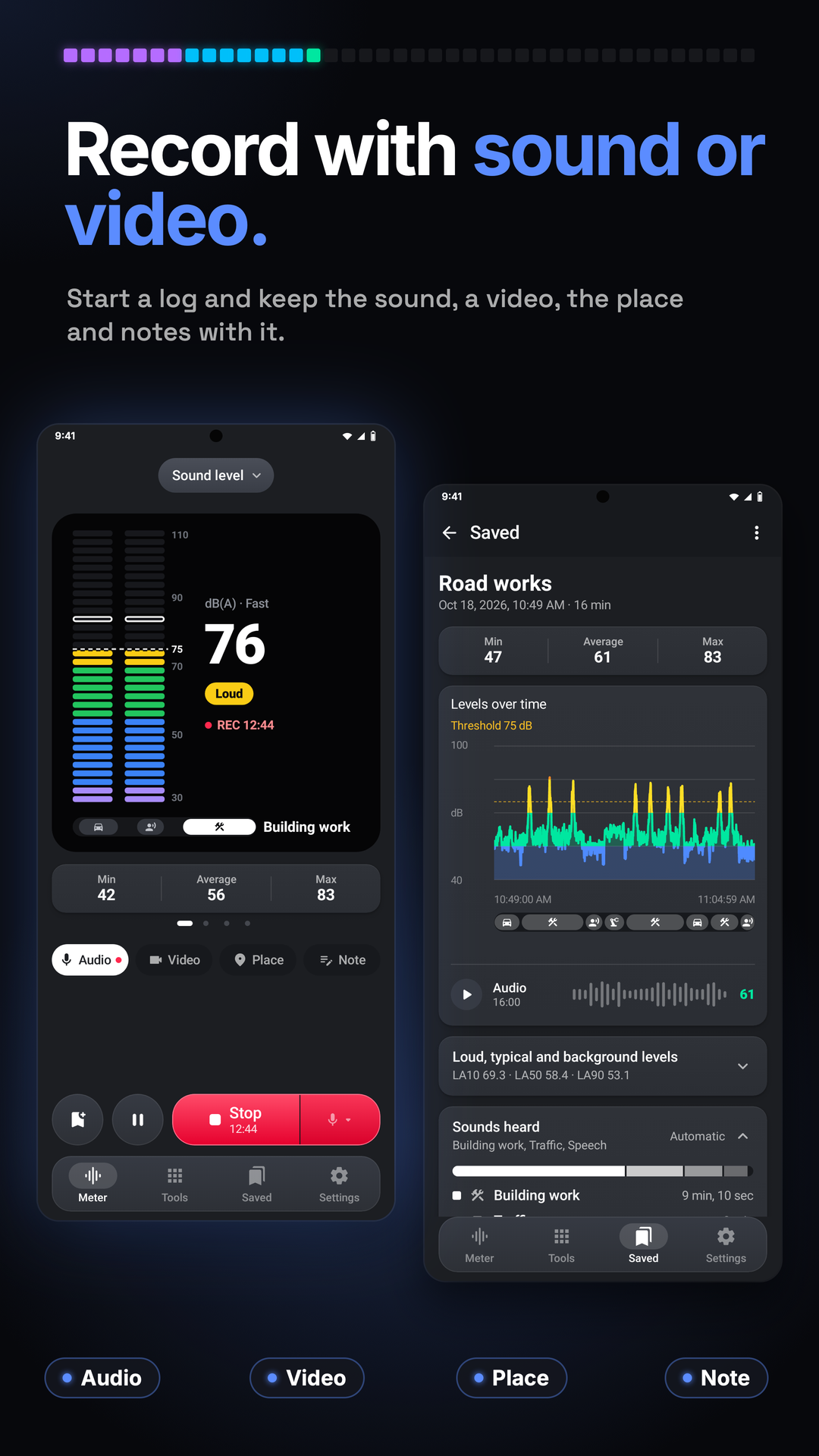
Start a log and mark events, notes and media so the chart has context.
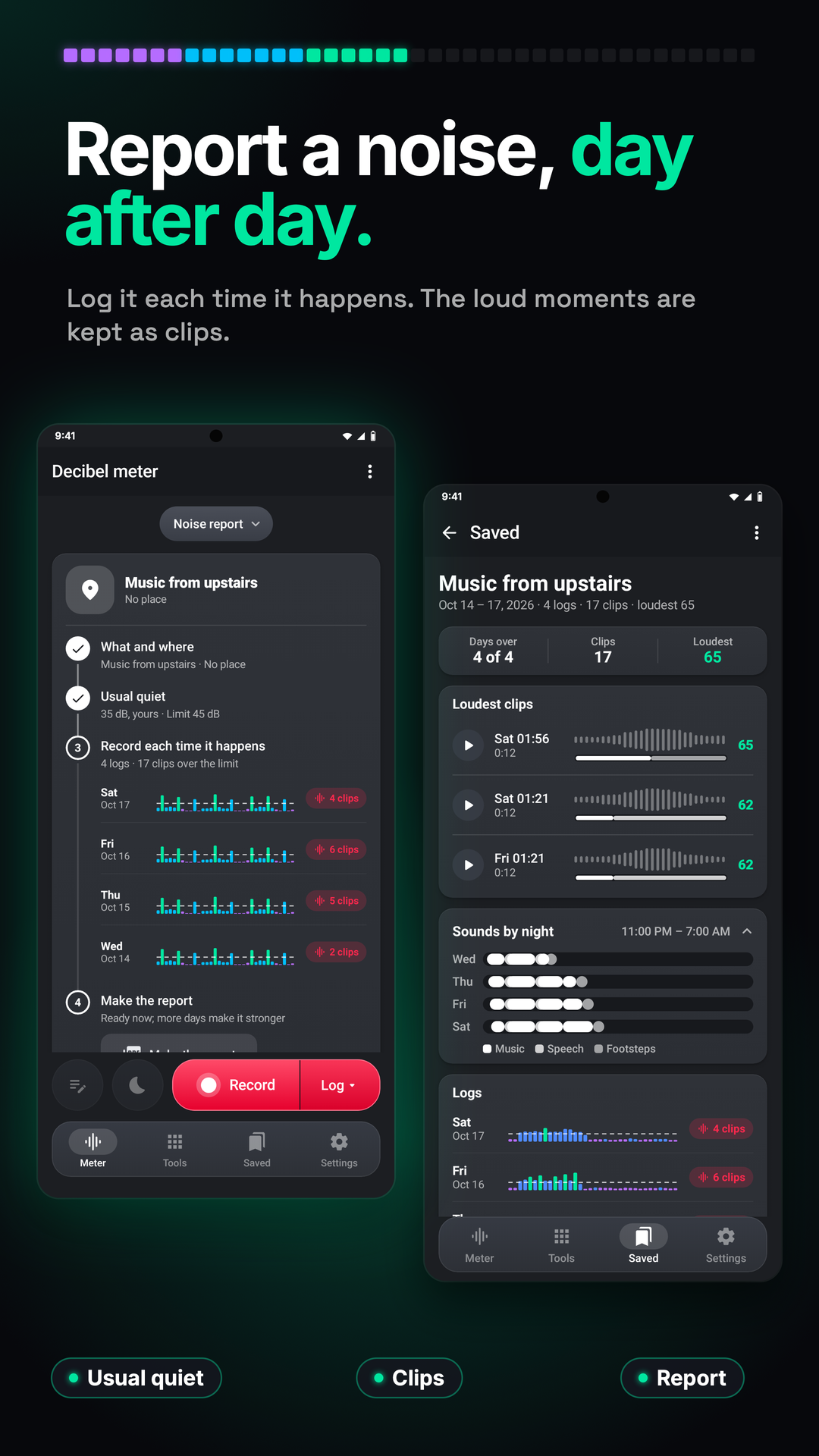
Use Noise report or Sleep while the tool remains open, then inspect the kept logs and clips.
Start with a useful task, then keep the result.
Allow microphone access and keep its opening clear while holding the phone still.
Read live estimates, or choose Record › Log when you want to keep a measurement.
Stop the log, open it in Saved and inspect the chart before creating a report.
Settings › Tour & lessons opens the Tour, Showroom and Lessons. Lessons use the live microphone without keeping logs, sound, video or settings. The website walkthrough below gives a quick first pass.
Practice 1
Allow the microphone and hold the phone steady with its microphone unobstructed. Read the live level, minimum, average and maximum; swipe the drawing to choose the view you find easiest to read.
Practice 2
Choose Record › Log. Mark a change as it happens and add a note, location, audio or video when useful. Pause leaves the paused time out; Stop keeps the completed log in Saved.
Practice 3
Open Alert to set the level, the time it must stay over and the response. The threshold is a reference you choose, not a hearing-safety limit.
Useful habits for your next task.
Leave the microphone unobstructed and keep the phone still in the same position when comparing places.
Calibrate beside a sound level meter using a steady source, then use consistent weighting and response settings for comparisons.
Use Average (Leq) for the sound over a period and Max to inspect its loudest moment.
Tap Marker when a source changes so the chart has a point you can return to.
Keep the tool open while logging: leaving it or locking the phone stops and saves the log.
For a night log, connect power, place the phone by the bed and use Bedside to dim the screen.
Decibel Meter. Noise from tools, rooms and traffic.
Explore the tool ›Sound level. Decibel Meter sound-level dial, statistics and sound recognition
Read the guide ›Record. Decibel Meter recording controls and sound-level chart
Read the guide ›Report. Decibel Meter saved sound report and chart
Read the guide ›Step-by-step instructions for the app and its tools.
Video coming soonBasics · Written steps
Read the steps : Choose a pageVideo coming soonBasics · Written steps
Read the steps : Position the phone toward the soundVideo coming soonBasics · Written steps
Read the steps : Choose the meter drawingGet the app
Free to download. Coming soon to iPhone.