 Video coming soon
Use the sky tools in Satellite Finder
Basics · Written steps
Read the steps : Use the sky tools in Satellite FinderSteps, videos and tips for the app and its tools.
The standalone Sun & Sky app is coming soon. You can explore the current Sun, Moon and solar-planning features inside Satellite Finder.
Video coming soon
Getting started
Until the standalone app is available, open Satellite Finder to follow this guide. Its Solar page and globe provide the sky and panel-planning features shown here.
This is a still image. The how-to video has not been recorded yet.
Read the stepsVideo coming soonBasics · Written steps
Read the steps : Use the sky tools in Satellite FinderVideo coming soonBasics · Written steps
Read the steps : Open the solar page in Satellite FinderVideo coming soonBasics · Written steps
Read the steps : Inspect the Sun and Moon on the globeVideo coming soonBasics · Written steps
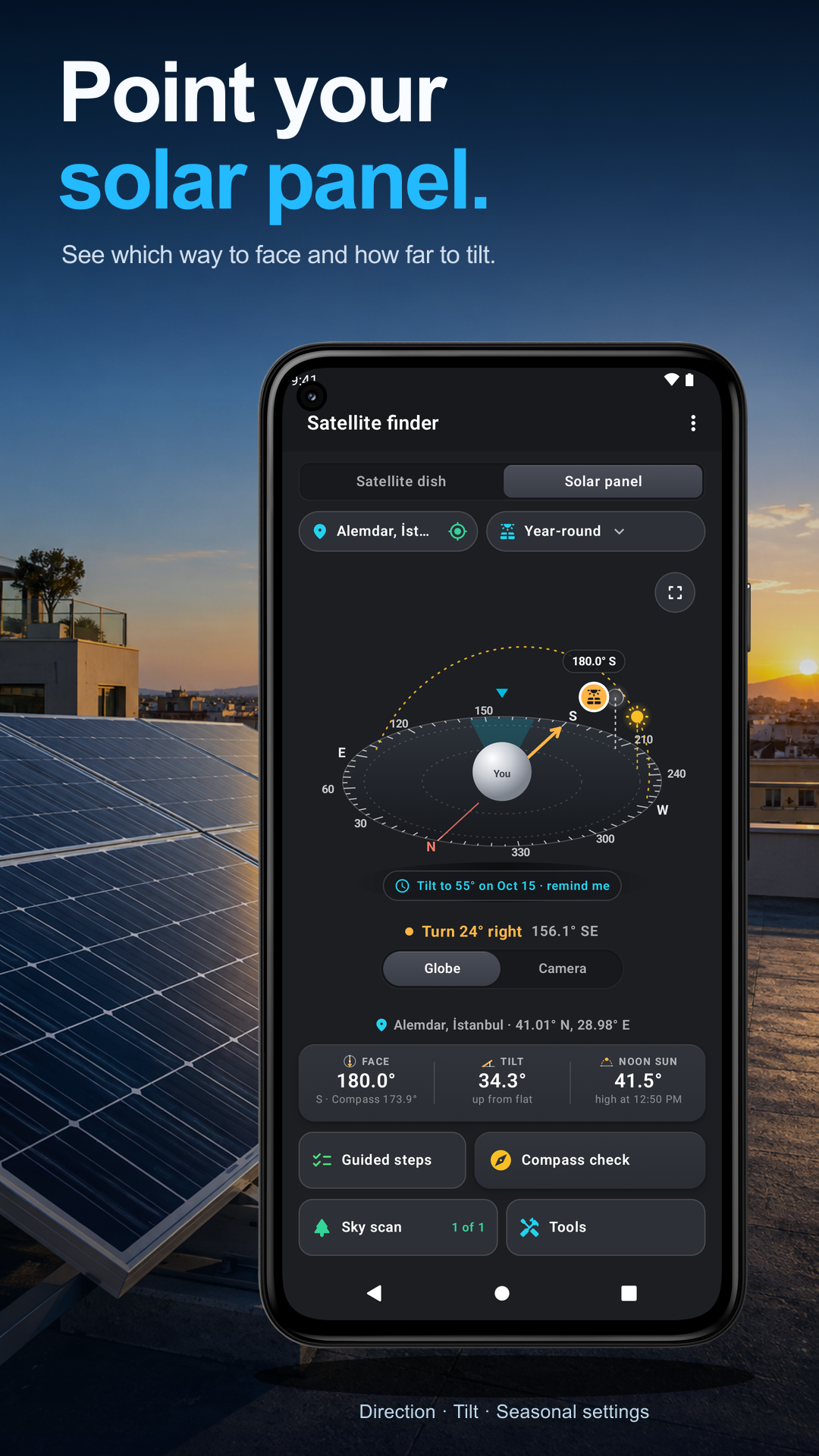
Read the steps : Check sun times and dish outagesOpen Satellite Finder and choose the Solar page to plan a panel. Set your current position or pick a place on the map.
Until the standalone app is available, open Satellite Finder to follow this guide. Its Solar page and globe provide the sky and panel-planning features shown here.
Inspect the globe as you turn the phone. Tap the Sun or Moon to inspect the sky object and its times.
Open Tools › Sun times for the available solar events and dish sun-outage information.
Try these steps in the app. All tour instructions stay readable here.
Open Satellite Finder and choose the Solar page to plan a panel. Set your current position or pick a place on the map.
Inspect the globe as you turn the phone. Tap the Sun or Moon to inspect the sky object and its times.
Open Tools › Sun times for the available solar events and dish sun-outage information.
Each tool in Sun & Sky has its own guide.
The standalone Sun & Sky app is coming soon; use the implemented Solar and sky tools inside Satellite Finder for the steps on this page.
Confirm the selected place before reading Sun times or panel guidance. A plan for another location gives different directions and times.
Check the chosen date and time before comparing the Sun or Moon with the sky you see.
Move away from steel roofs, rails, poles and magnetic phone cases if the sky overlay does not line up.
Use a shadow check for alignment. Never look directly at the Sun or aim your eyes through the phone toward it.
For panel tilt, rest the phone screen-up with its top edge toward the panel’s top. Tilt comes from gravity and heading comes from the compass.
Inspect the installation spot for actual obstructions; a computed solar direction does not show every nearby tree or building.