 Video coming soon
Choose Sound, Camera, Vibration or Spin
Basics · Written steps
Read the steps : Choose Sound, Camera, Vibration or SpinSteps, videos and tips for the tool.
Measure how fast something turns, in RPM: by sound, camera, vibration or spin.
Video coming soon
Getting started
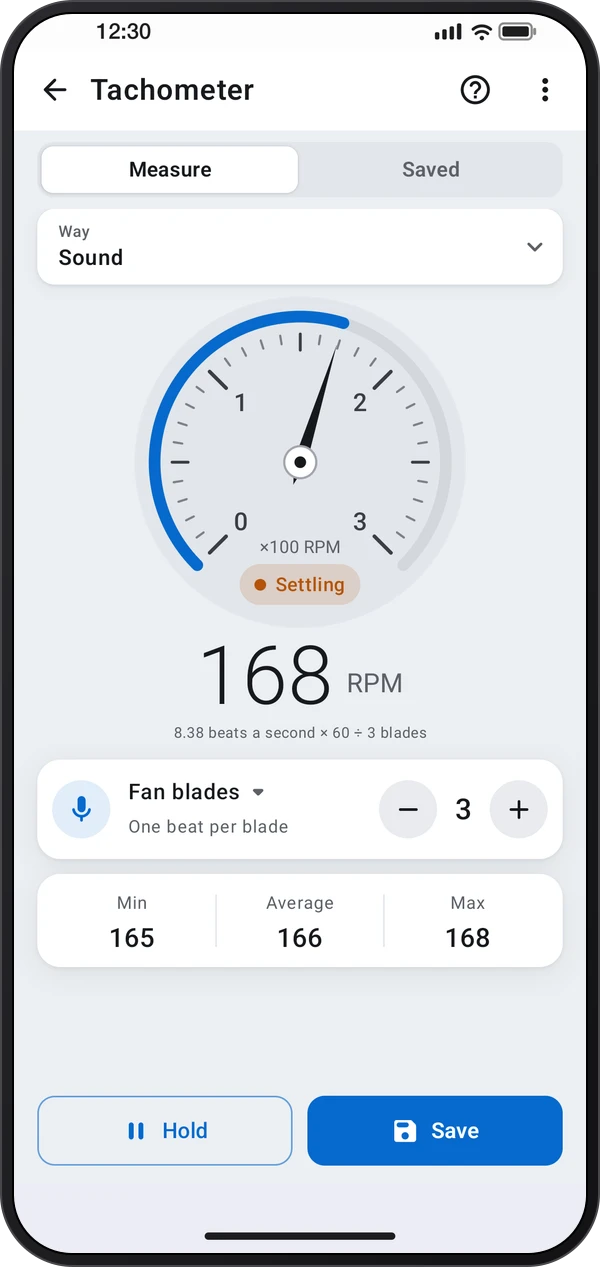
Pick how to measure: Sound hears a fan's or engine's hum, Camera counts a strip of tape flashing past, Vibration feels the casing shake, and Spin reads the turn while the phone lies on the turning part.
This is a still image. The how-to video has not been recorded yet.
Read the stepsVideo coming soonBasics · Written steps
Read the steps : Choose Sound, Camera, Vibration or SpinVideo coming soonBasics · Written steps
Read the steps : Set the count and save steady RPMVideo coming soonBasics · Written steps
Read the steps : Choose a measuring layoutPick how to measure: Sound hears a fan's or engine's hum, Camera counts a strip of tape flashing past, Vibration feels the casing shake, and Spin reads the turn while the phone lies on the turning part.
Use ⋮ › Screen layout to try the screens: Gauge (a dial, with tips you can drag or fold), Guided (pick what's turning and follow three steps) and Display (a big readout, a 10-second graph and a Tips tab).
Set the count when the way asks for one: fan blades or engine cylinders for Sound, tape strips for Camera. Hold still until the reading says Steady, then tap Save. Saved keeps your readings.
Try these steps in the app. All tour instructions stay readable here.
Pick how to measure: Sound hears a fan's or engine's hum, Camera counts a strip of tape flashing past, Vibration feels the casing shake, and Spin reads the turn while the phone lies on the turning part.
Set the count when the way asks for one: fan blades or engine cylinders for Sound, tape strips for Camera. Hold still until the reading says Steady, then tap Save. Saved keeps your readings.
Use ⋮ › Screen layout to try the screens: Gauge (a dial, with tips you can drag or fold), Guided (pick what's turning and follow three steps) and Display (a big readout, a 10-second graph and a Tips tab).
Find Tachometer in these apps.
Twice or half what you expect? Check the count. Keep the phone, hands, hair and sleeves away from moving parts.