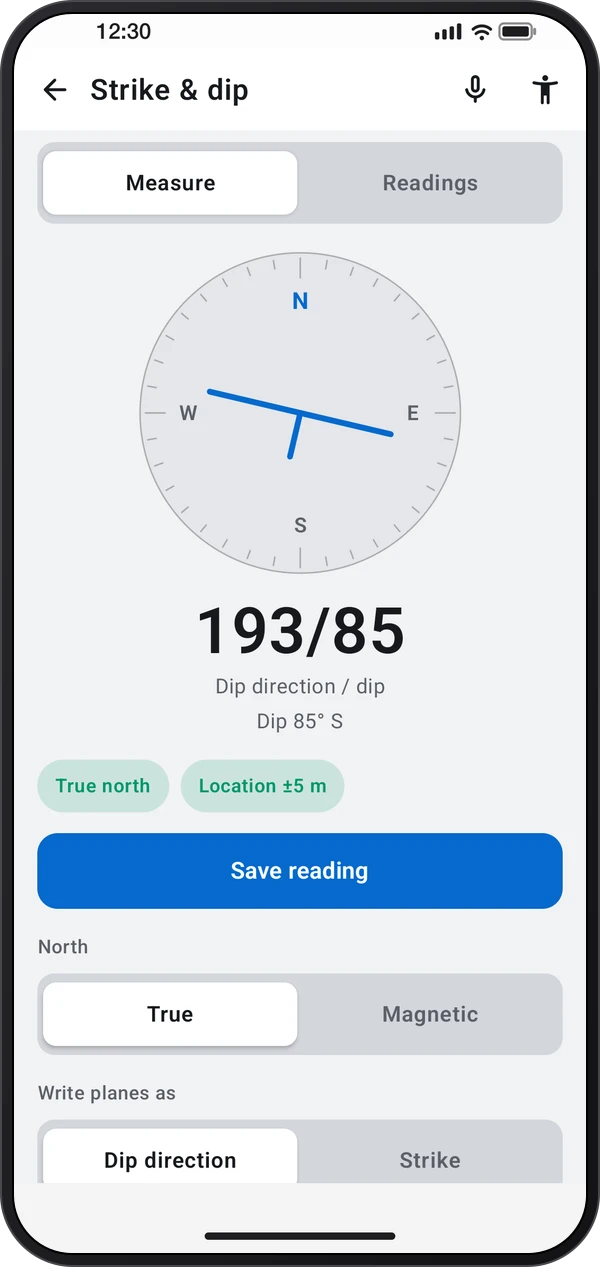
 Video coming soon
Set up true north
Basics · Written steps
Read the steps : Set up true northSteps, videos and tips for the tool.
Measure the attitude of rock layers, joints and faults, saved with the location and shared as CSV.
Video coming soon
Getting started
Allow location so directions use true north. Keep magnets, tools and metal away from the phone.
This is a still image. The how-to video has not been recorded yet.
Read the stepsVideo coming soonBasics · Written steps
Read the steps : Set up true northVideo coming soonBasics · Written steps
Read the steps : Measure and save a rock surfaceVideo coming soonBasics · Written steps
Read the steps : Review the stereonet and export readingsPress the back of the phone flat against the rock surface and hold still. Read the dip direction and dip, or the strike and dip, then tap Save reading.
Open Readings to see every saved plane and its pole on the stereonet, delete readings, or share them all as CSV.
Allow location so directions use true north. Keep magnets, tools and metal away from the phone.
Try these steps in the app. All tour instructions stay readable here.
Allow location so directions use true north. Keep magnets, tools and metal away from the phone.
Press the back of the phone flat against the rock surface and hold still. Read the dip direction and dip, or the strike and dip, then tap Save reading.
Open Readings to see every saved plane and its pole on the stereonet, delete readings, or share them all as CSV.
Find Strike & dip in these apps.
With voice commands on, say “Save” to save the reading while the phone lies on the surface, without touching it.