 Video coming soon
Mount the phone for your vehicle
Basics · Written steps
Read the steps : Mount the phone for your vehicleSteps, videos and tips for the tool.
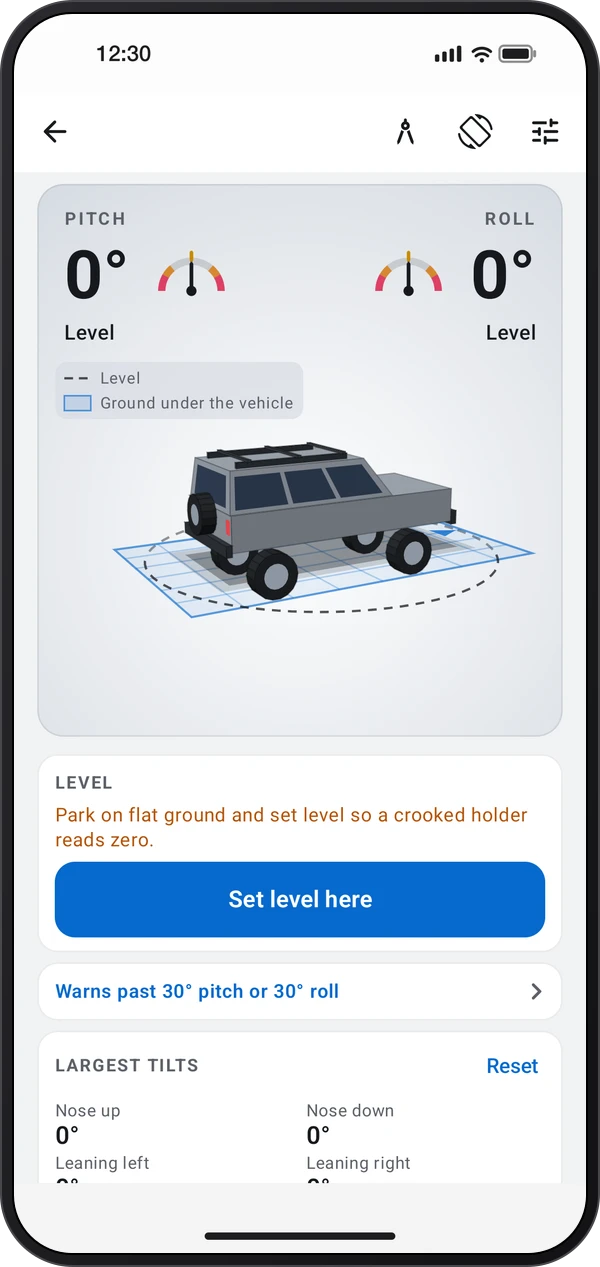
Watch your vehicle's pitch and roll on a 3D model or a blueprint, see the largest tilts and get a warning before it gets too steep.
Video coming soon
Getting started
Fix the phone in a holder, upright facing you or flat with its top toward the front, and choose that mount in the settings.
This is a still image. The how-to video has not been recorded yet.
Read the stepsVideo coming soonBasics · Written steps
Read the steps : Mount the phone for your vehicleVideo coming soonBasics · Written steps
Read the steps : Set level on flat groundVideo coming soonBasics · Written steps
Read the steps : Set pitch and roll alertsFix the phone in a holder, upright facing you or flat with its top toward the front, and choose that mount in the settings.
Park on flat ground and tap Set level here, so the readings show zero even if the holder sits crooked.
Set the pitch and roll limits in the settings. Past a limit the tilt scale turns red and the phone beeps and vibrates.
Try these steps in the app. All tour instructions stay readable here.
Fix the phone in a holder, upright facing you or flat with its top toward the front, and choose that mount in the settings.
Park on flat ground and tap Set level here, so the readings show zero even if the holder sits crooked.
Set the pitch and roll limits in the settings. Past a limit the tilt scale turns red and the phone beeps and vibrates.
Find Off-road inclinometer in these apps.
Braking, accelerating and turning read as tilt. Trust the gauges only when driving slowly, and never read the phone while driving fast.