 Video coming soon
Measure a corner and its miters
Basics · Written steps
Read the steps : Measure a corner and its mitersSteps, videos and tips for the tool.
Measure a wall corner and the miter for each side, or the true angle between two faces or edges in 3D.
Video coming soon
Getting started
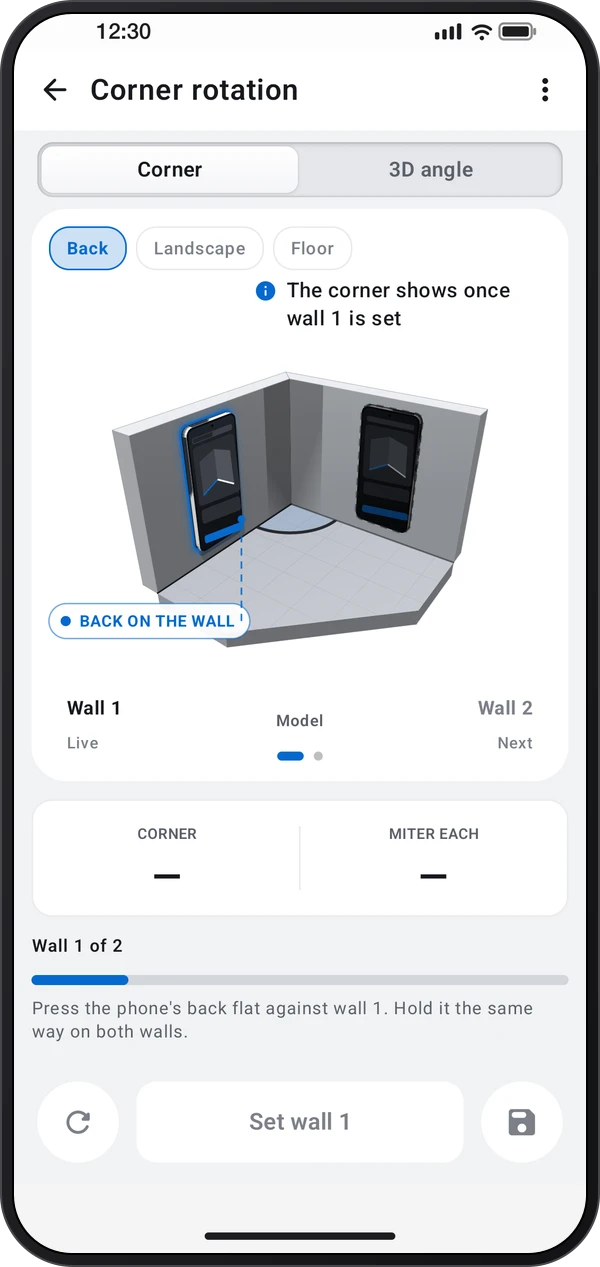
On the Corner tab, pick Back, Landscape or Floor. Put the phone on the first wall and tap Set wall 1, then on the second wall and tap Set wall 2: it reads the corner and the miter for each side.
This is a still image. The how-to video has not been recorded yet.
Read the stepsVideo coming soonBasics · Written steps
Read the steps : Measure a corner and its mitersVideo coming soonBasics · Written steps
Read the steps : Measure a true 3D angleVideo coming soonBasics · Written steps
Read the steps : Save the angle or start againTap Save to keep it in Records, or ⋮ › Save with details to name it first. Measure again or Start over begins a new one.
On the Corner tab, pick Back, Landscape or Floor. Put the phone on the first wall and tap Set wall 1, then on the second wall and tap Set wall 2: it reads the corner and the miter for each side.
On the 3D angle tab, pick Faces, Edges or Edge + face, and set the phone on each in turn. It reads the true 3D angle, and its plan and tilt parts.
Try these steps in the app. All tour instructions stay readable here.
Press the phone's back flat on one wall and tap Set wall 1, then on the other wall and tap Set wall 2. Nothing has to be level.
Miter each is the angle both pieces of skirting or crown are cut at, so they meet tight even in a corner that isn't square.
On the 3D angle tab, press the back flat on each face, like the two slopes of a roof. True 3D is the angle between them.
For Edges, stand the phone on its side without keys along each edge, keys facing away and screen toward you: a pressed key spoils the reading.
Edge + face takes the edge first, on the phone's side without keys, then the face with the back flat on it: a ladder's rail against the floor.
Find Corner rotation in these apps.
Corner and 3D measurements are unavailable without a supported gyroscope. Nothing has to be level. Take both walls the same way, because changing the placement starts over.
Angles read in whole degrees. Decimal places in ⋮ shows every angle, and what you save, in tenths.
Lying flat, the phone's back faces the ceiling and can't read a wall. For a corner at floor level, pick Floor and lay the phone with its left edge against the skirting.
Stand the phone on its side without keys, keys facing away and screen toward you. A pressed key spoils the reading.
Miter each is what both pieces of trim are cut at to meet in this corner. Flat views shows how the phone touches each wall, with a small plan of the corner.