 Video coming soon
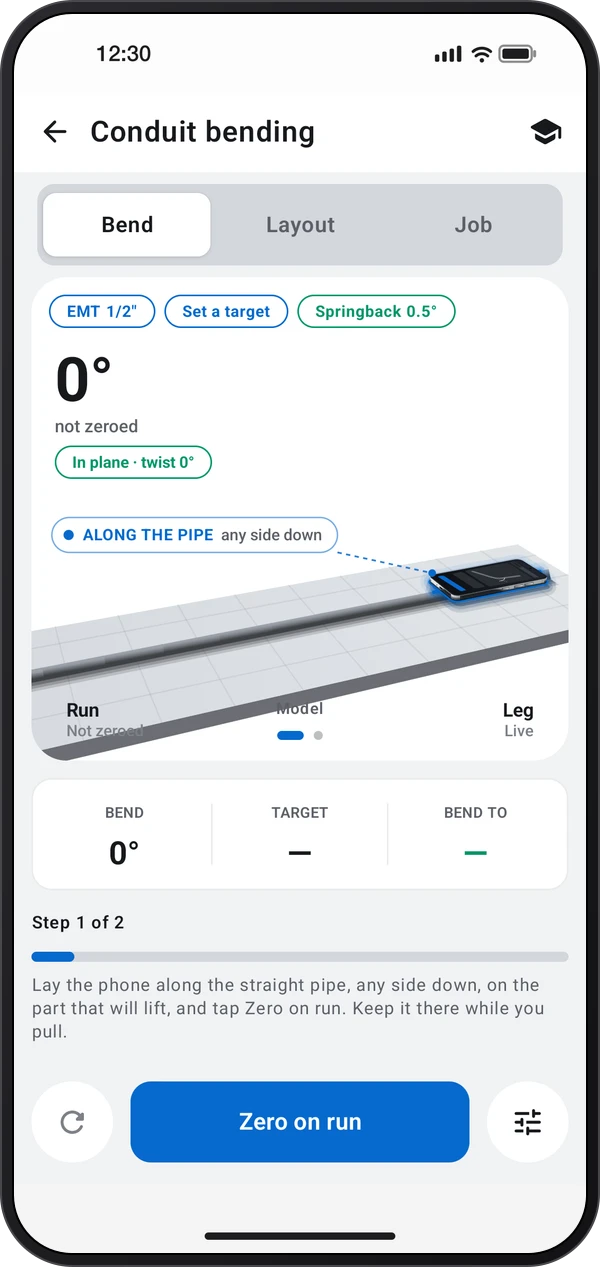
Zero the phone along the straight run
Basics · Written steps
Read the steps : Zero the phone along the straight runSteps, videos and tips for the tool.
Bend conduit to an exact angle with the phone on the pipe, and lay out offsets, saddles and 90s with their marks.
Video coming soon
Getting started
On the Bend tab, lay the phone along the straight pipe, on the part that will lift, and tap Zero on run.
This is a still image. The how-to video has not been recorded yet.
Read the stepsVideo coming soonBasics · Written steps
Read the steps : Zero the phone along the straight runVideo coming soonBasics · Written steps
Read the steps : Bend to the target angleVideo coming soonBasics · Written steps
Read the steps : Lay out and work through the bendsTap Set a target and pick or type the angle. Pull until Bend turns green: it beeps at Bend to, which adds the springback. Tap Hold, and after you let go it shows where the bend settles.
On the Bend tab, lay the phone along the straight pipe, on the part that will lift, and tap Zero on run.
On Layout, pick a calculator such as an offset or a saddle, type the sizes and tap Send to Bend. Job lists the bends in order, and Measure again ticks one off and sets the next target.
Try these steps in the app. All tour instructions stay readable here.
Lay the phone along the straight pipe, any side down, and tap Zero on run. Pull, and Bend reads the turn live; Hold keeps it.
Type how deep the obstacle is and Layout gives both marks. Send to Bend sets the target for each bend.
Set the angle the pipe has to end up at. The tool adds the springback: it beeps at 93.0° and the pipe settles at 90.0°.
The pill under the reading shows the pipe rolling out of the first bend's plane. Roll it back until it says In plane.
The Job tab ticks each bend off as you pull it, and counts the run against the 360° allowed between pull points.
Find Conduit bending in these apps.
Keep the twist pill on In plane so the bends line up. Measure your bender's springback once with the Springback chip, and the targets allow for it.
The reading is blank because the phone is turning about its own long side. Lay it along the pipe, so the bend turns it.
Measure again ticked that bend off and set the next one's target. The Job tab shows every bend and how much of the run's 360° they use.
Send to Bend lays these bends out as a job, in the order you pull them, and sets the first one's target.
The overbend uses what this material usually springs back. Measure your bender's once: hold the bend, release it, read it again.