 Video coming soon
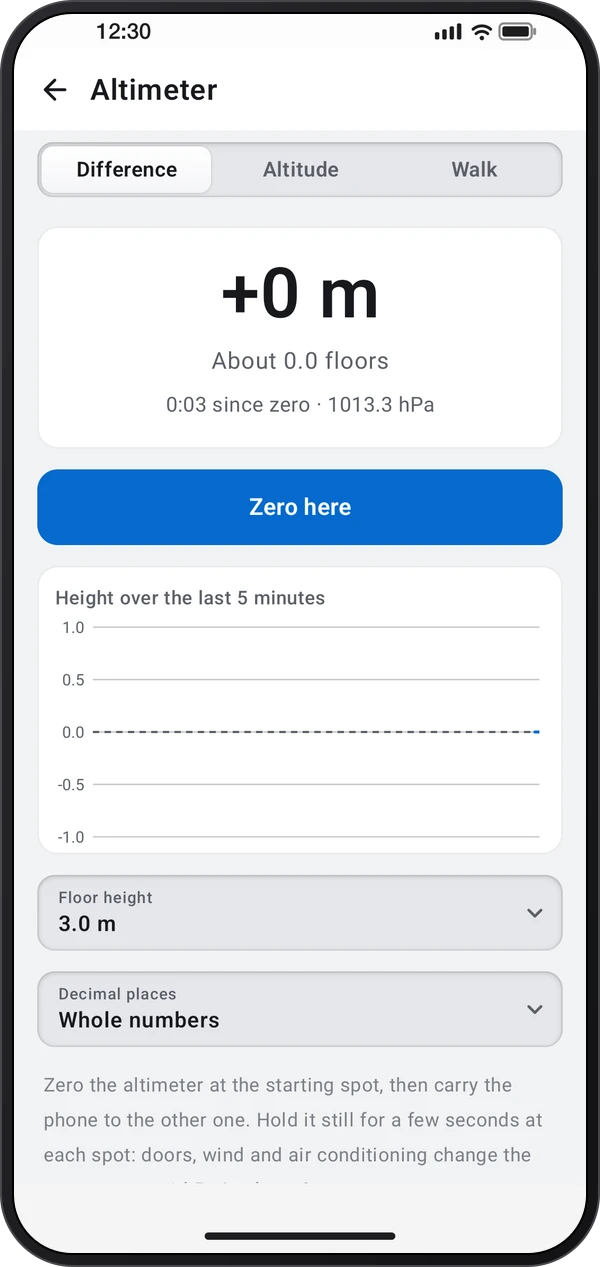
Choose where the height difference starts
Basics · Written steps
Read the steps : Choose where the height difference startsSteps, videos and tips for the tool.
Measure height differences between floors or spots with the barometer, calibrate the altitude and add up the ascent of a walk.
Video coming soon
Getting started
Open the altimeter where you start. It zeroes itself there; tap Zero here to count from another spot.
This is a still image. The how-to video has not been recorded yet.
Read the stepsVideo coming soonBasics · Written steps
Read the steps : Choose where the height difference startsVideo coming soonBasics · Written steps
Read the steps : Measure another floor or spotVideo coming soonBasics · Written steps
Read the steps : Calibrate altitude or record a walkOpen the altimeter where you start. It zeroes itself there; tap Zero here to count from another spot.
Carry the phone to the other spot and hold it still to read the height difference in meters or floors.
On Altitude, calibrate from GPS, a known elevation or the sea-level pressure. On Walk, tap Start to add up the ascent and descent.
Try these steps in the app. All tour instructions stay readable here.
Open the altimeter where you start. It zeroes itself there; tap Zero here to count from another spot.
Carry the phone to the other spot and hold it still to read the height difference in meters or floors.
On Altitude, calibrate from GPS, a known elevation or the sea-level pressure. On Walk, tap Start to add up the ascent and descent.
Find Altimeter in these apps.
Weather changes air pressure by about 1 hPa, or 8 m, within hours. Zero again before each measurement and keep the phone out of wind and air conditioning.